0. Installation
Tutorial
This will walk you through downloading and installing Verbotics Weld, as well as importing an example workcell.
Video Tutorial
Accounts Portal and Software Download
Verbotics Weld and associated resources are available online through our Accounts Portal. The accounts portal is a hub for software and workcell downloads, and where you can also manage licenses and users within your organisation.
To access the installer for the latest version of Verbotics Weld, open the Downloads drop down menu from the top of the page, and select Software.
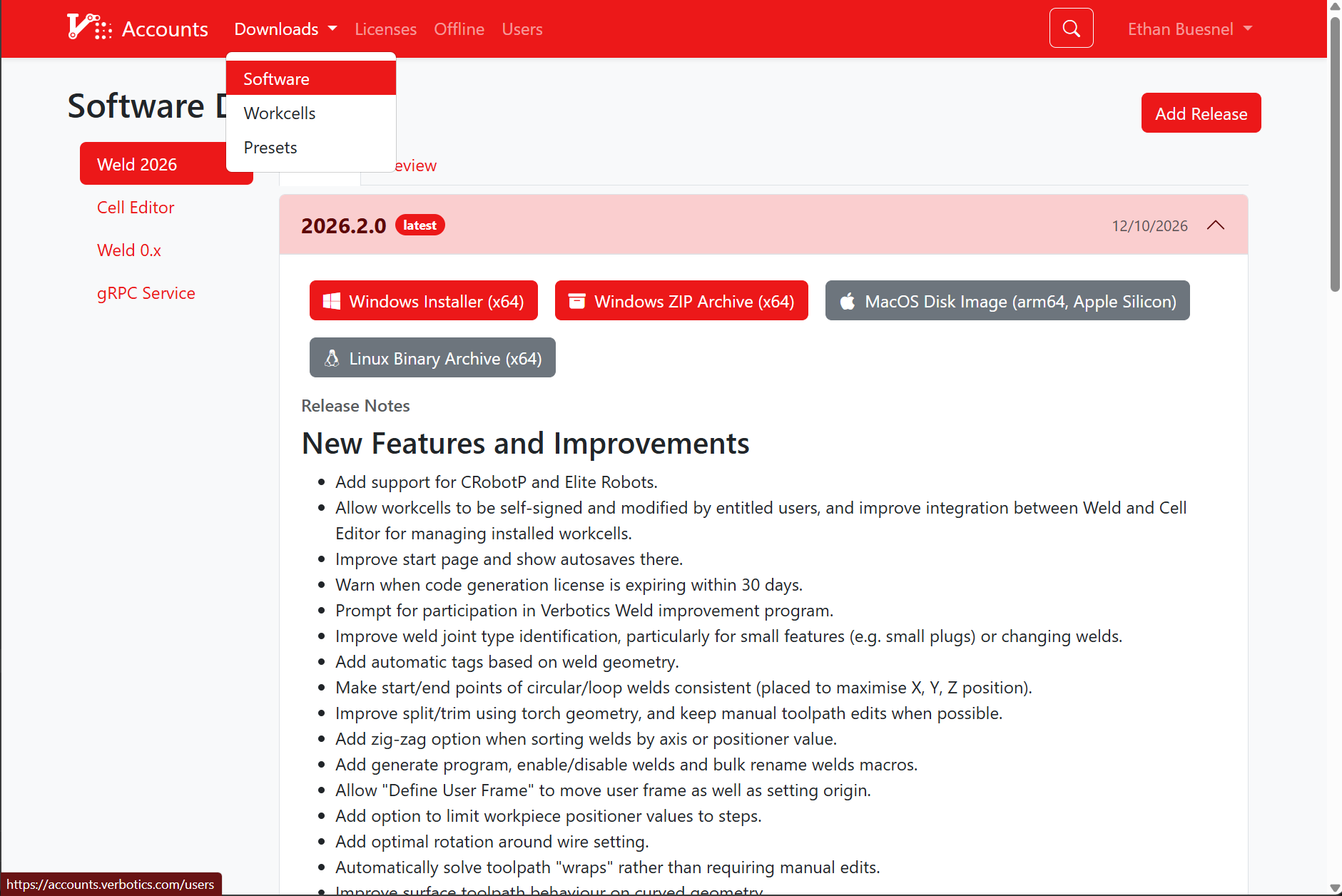
Accounts Portal - Downloads drop-down menu
Note
Before installing, ensure your device meets the minimum requirements for Verbotics Weld. For more detail regarding this, see System Requirements
Application Setup and Importing Workcells
The first time an install of Verbotics Weld is opened on a new device, it’ll require a login with a Verbotics account.
Logging in will update Verbotics weld with access to the workcells and licenses available for that account.
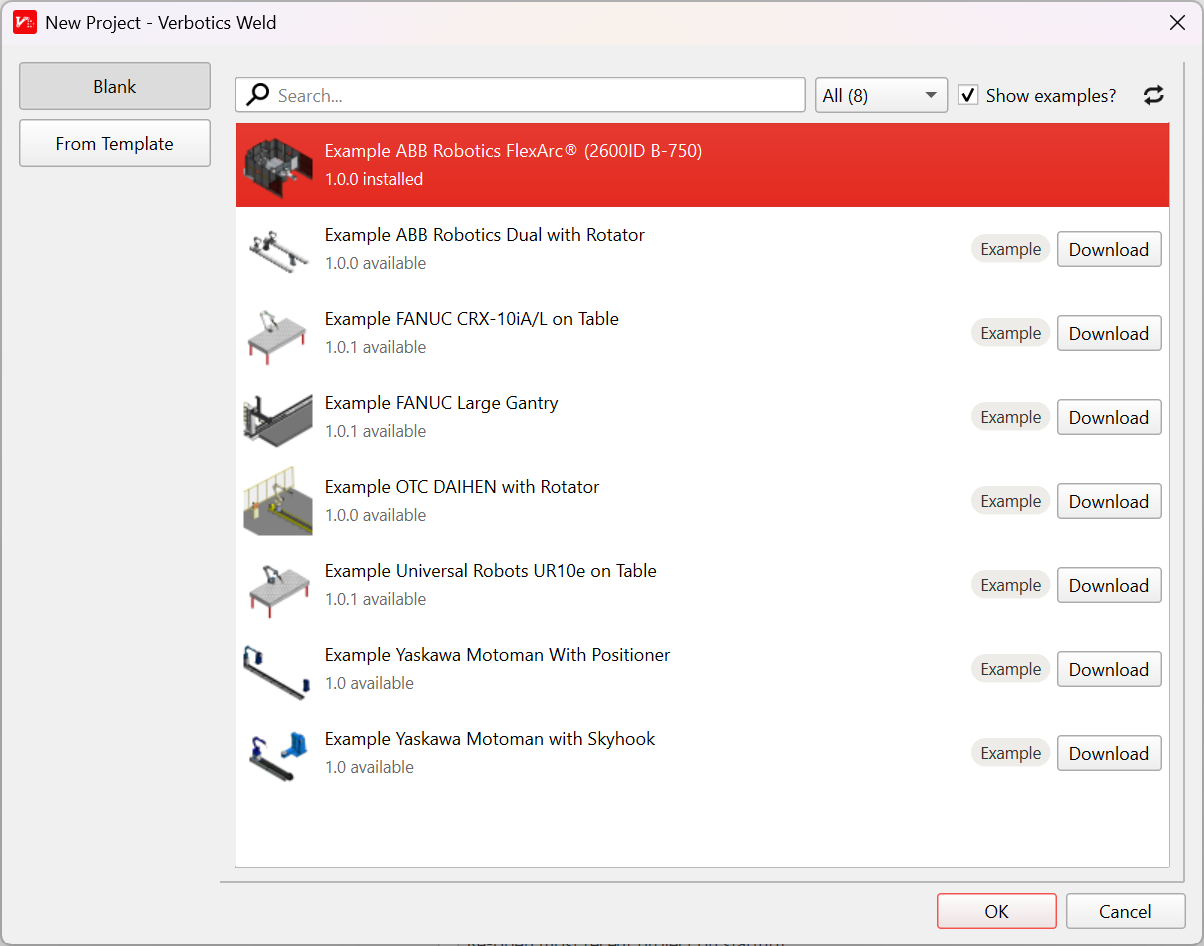
New Project - Workcell list and download options
Workcells can be downloaded and imported via the “New Project” menu. Any workcells available online but not saved locally will have a Download button that can be used to download and store the workcell locally for offline use. Online workcells that have had new versions uploaded can also be updated to their latest version from this screen.
Workcell files can also be imported using this window by dragging-and-dropping the .vbmodel file into the window.
License Activation
If you have a license for code generation, activate it through Edit > Preferences > Accounts and Licenses.
Select the applicable license. If it is able to be activated, there will be an Activate button located in the license’s details
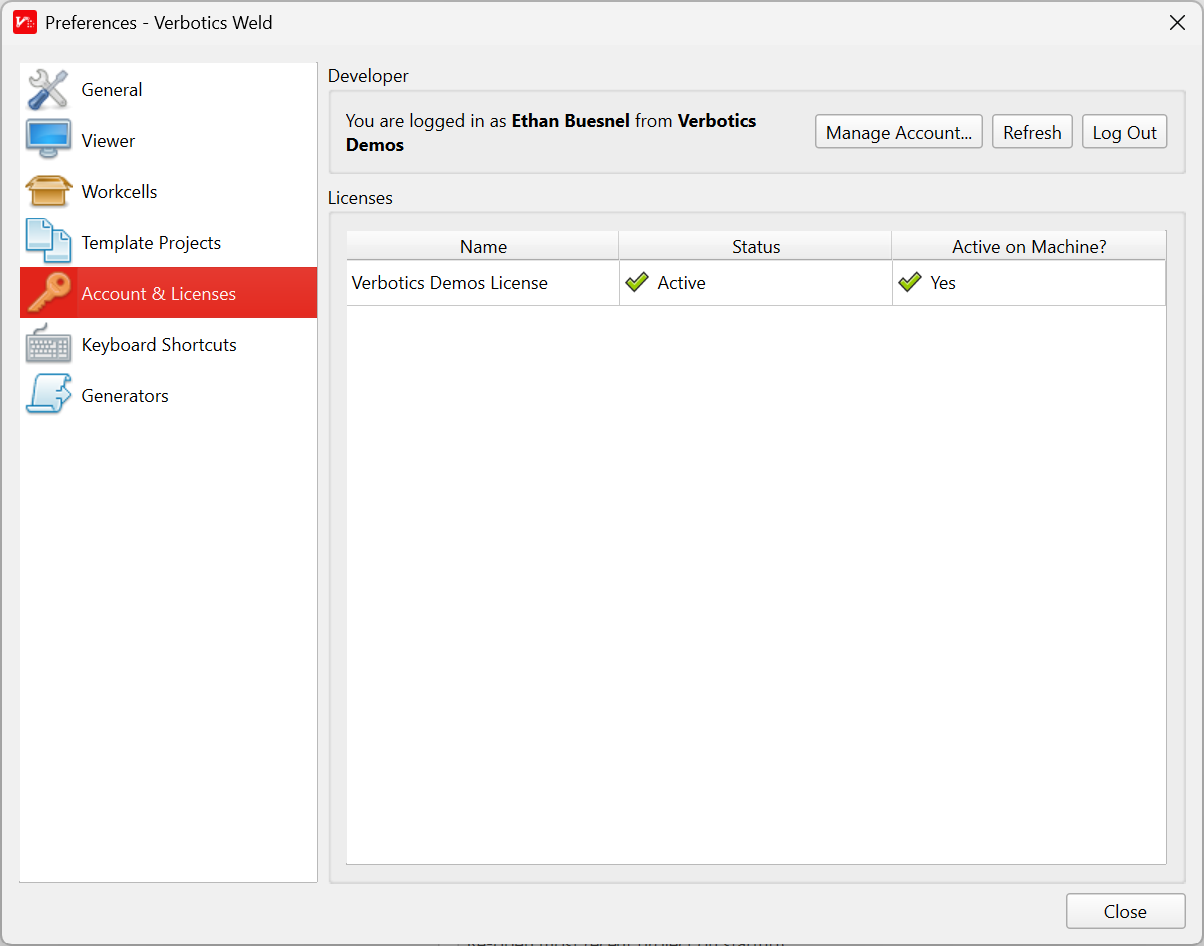
Preferences - Account and Licenses
Where to next?
Now that you have installed Verbotics Weld, we recommend following our planning walkthrough to introduce you to the Verbotics Weld workflow. This walkthrough will guide you from a blank weld project, up to exporting robot code.
Alternatively you can view our detailed reference documentation.